When to use Field Value
What are all the places we can use Field Value
- If we want to add Local Values(Means in State DropDown we have to give multiple State Names).
- For Adding New Status(basically we use pega status only, if we want we can create our own Status and we can use that too.)
- We can add Dynamic Lable Value using Field Values.
Using Field Value, How to add Local Values???
Normally How we add Local Values ? If we want to add an property Gender to a section we will Drag and Drop a Radio Button, and we will give an Property Name for that Radio Button and We will add the Gender Male Female in Local List.


Now we will try how to use Field Value, Our requirement is we have to list all the Country using DropDown .
First I Drag and Drop one DropBown from Basic

 On the property rule, I select Field Value(Not Local List)
 It will asks for Field Class Name and Field Name. So I create One Field Value from Create->Data Modal->Field Value
 In Label Field we have to give the country we want to display and in Field Name we have to give The property (.Country)
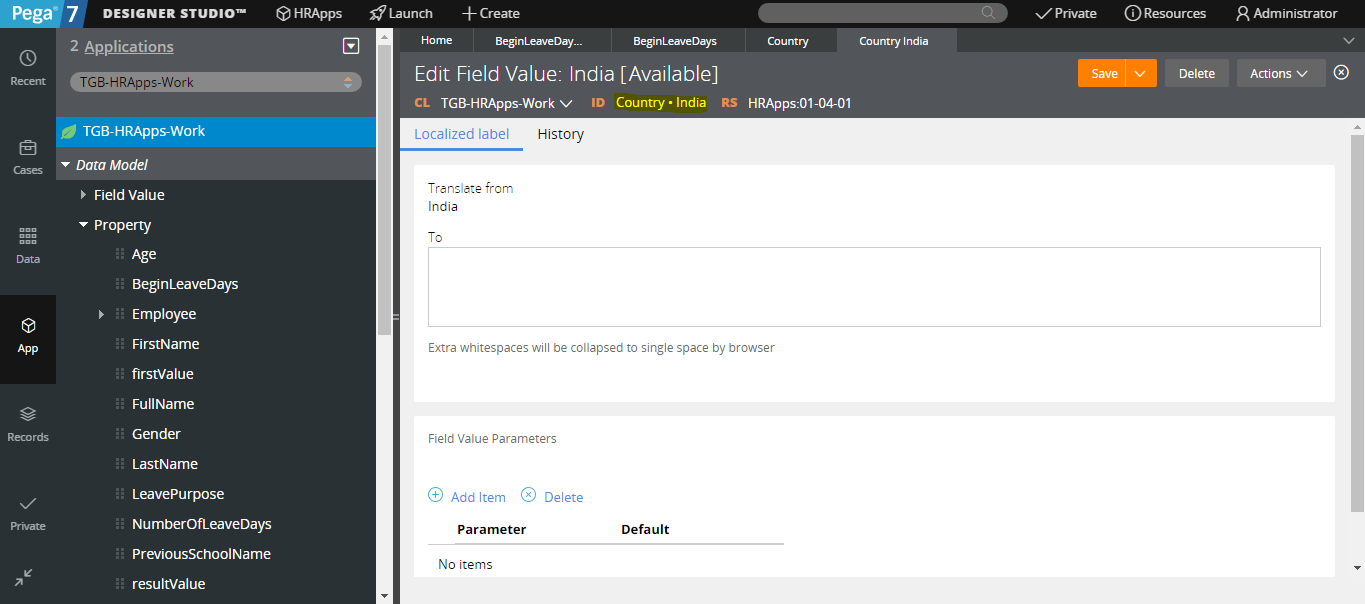
 Now I created field value(India ) in Field Name Country
 Then I created another one field value(China) under Field Name(Country)
 I gave for sample 5 Country then after creating Field Value we have to refer that in our property rule, open Country property rule , there in Field Name we have to give Country(Without Dot ) and Field Value Class Name We created(TGB-HRApps-Work)
 Then on run below output will come,

 This is the Case Type where we are going to set the Status
 Now I am creating the Field Value for Status GettingDetails
 After Click Create and Open the window look like this.
 and I created another one Field Value for Status InPaymentDetails.
 Here u can see i am in assignment Enter ExpenseDetails , and I am adding the status for that assignment as GettingDetails, after we add there the status it will display here
 In Payment Assignment I added the status InPaymentDetails, that we created it listed here.
 Now after I run the Flow, Control is in First Assignment, eventhough I not added any Section we can see the Status Below. "GettingDetails"

This is the way of adding status by Field Value, If have any doubt means ask in Comment Box.
 Now on creation of field Value, I gave Field Name as pyCaption and Label as ShowCaseInformationLabel.
 In the below image I gave parameter value as 1 and 2, this place will be removed by dynamic property value on run time.
 Here I pass the String "ParameterOne" for parameter 1 and "ParameterTwo" for parameter 2


First I Drag and Drop one DropBown from Basic

In the Below image I added one property Country




How to Create New Status in Pega using Field Values???
Now I am creating pyStatusWork property in TGB-HRApps-Work .


This is the way of adding status by Field Value, If have any doubt means ask in Comment Box.
Adding Dynamic Values in Label Using Field Value
Now I Drag and Drop one label, by default it will be Sample Text, remove that and Give any Name and Click that ribbon button, then it will open a Field Value Rule.


After I run the Flow Result will be like.

Now in above picture u can see the parameter is passed successfully.
If U have any doubt ask in Comment :)
