Index in Pega (Append, Current, Insert, Last, Prepend)
To Refer PDN Help click here
There are 5 indexes available.
- Append
- Current
- Insert
- Last
- Prepend
Append: (Format: PageList.pxResults(<Append>).PropertyName)
To add an element to Page List or Value List at the end we will use this index. For Example, We have a page list with 5 Pages if we want to add a new page then we will use this index to append a new page .In the activity created a new page List named TempList .

Each Page of TempList page list refers to Class "TGB-HRApps-Data-Courses".
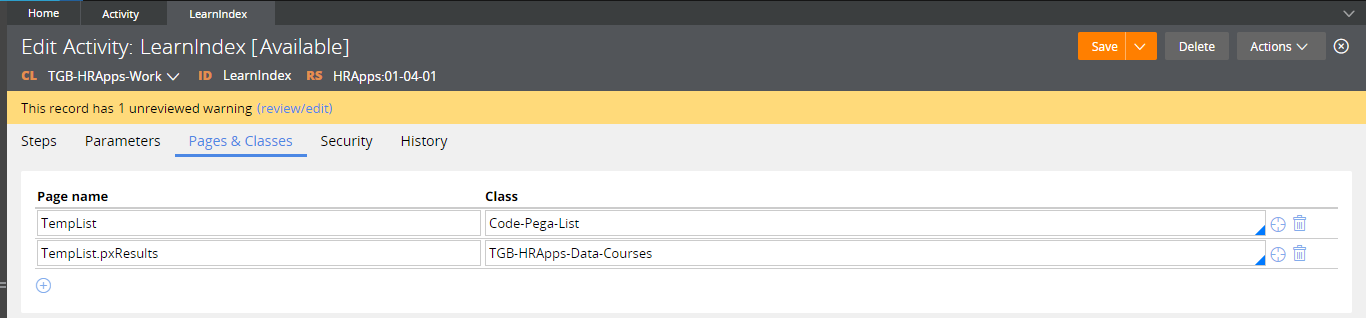
Save and executed the activity A Page List is created in Clipboard without any pages in it.

In 2nd Step Property Set added logic to append a new page to page list. In that page ID Property we are setting to value 1.

After Executed the activity a new page is appended in the page list so 1st Page created with values.

Modified Step to Append 3 Pages one after one.

After Executed activity , In Clipboard you can see 3 pages created one after one.

Hope understand about Append Index. Lets see Last Index.
Last: (Format: PageList.pxResults(<LAST>).PropertyName)
If We want to add any property values in Last Page, then we have to use this index.

After Execute activity you can see Description is added in Last Page(3).

Hope understand about Last Index. Lets see Insert Index.
Insert: (Format: PageList.pxResults(<INSERT>3).PropertyName)
We are use this index to add a page at a particular Index. For example if we want to add a page in 4th Place then we have to give like (<Insert>4)
In the below screenshot we are adding a page in 2nd index , In that page we are setting Description as Chemistry.

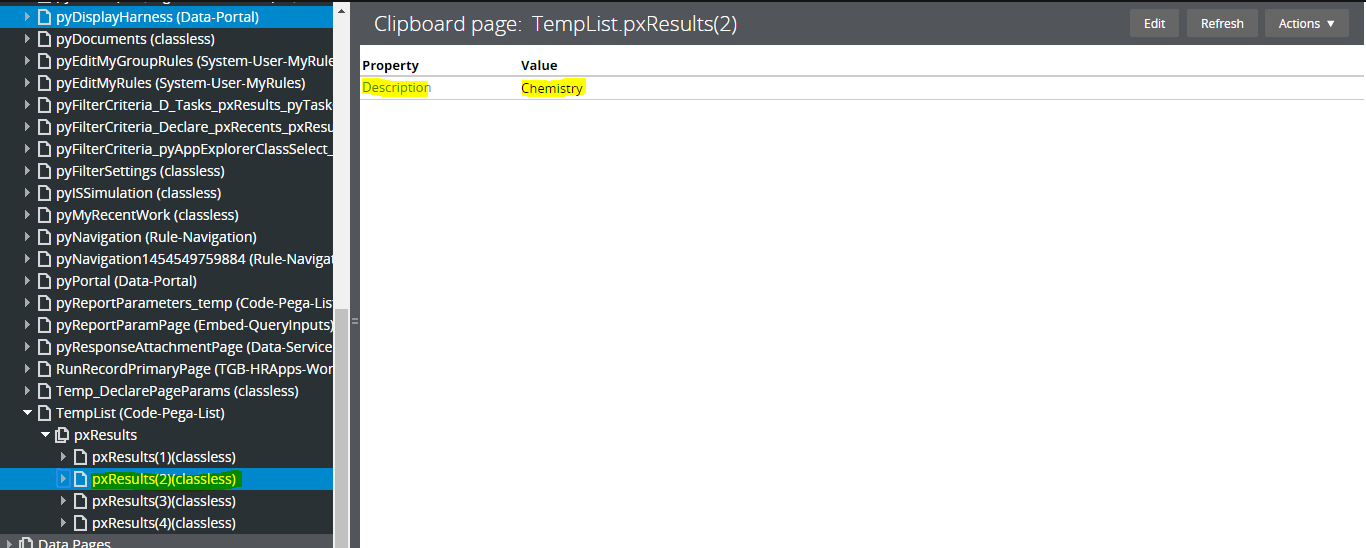
Hope understand about Insert Index. Lets see Prepend Index.
Prepend: (Format: PageList.pxResults(<Prepend>).PropertyName)
Use this index to Add a page in First Index. For example, if you want to add a page in first index of the page list then we have to use this index.
Add a step to Add a page in first index with description Physics

A New Page prepended at 1st index with Description Physics

Hope understand about Prepend Index. Lets see Current Index.
Current: (Format: PageList.pxResults(<Current>).PropertyName)
Current functionality is same as i in for Loop ( for(i=0;i<5;i++) , We can refer Current Loop Page property using this index.
If you see below image we are Copying current loop ID value to Param.ID.
So When 1st Loop execute the expression will be TempList.pxResults(1).ID
When 2nd Loop execute the expression will be TempList.pxResults(2).ID
When 3rd Loop execute the expression will be TempList.pxResults(3).ID
etc,

Hope understand about all index. Comment me in case of any doubts friends😊